
I find the GitHub Pages custom domain instructions hard to follow. The usual answer for me is:
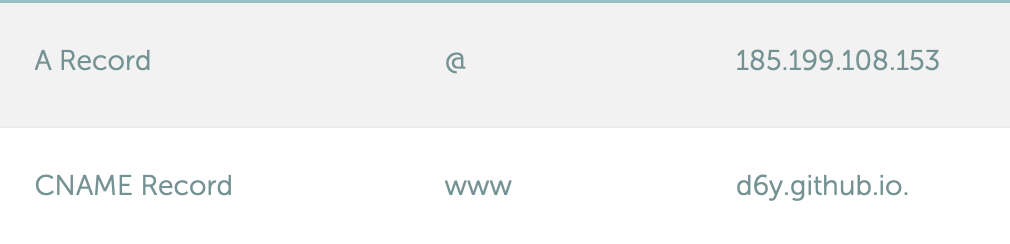
- Add a DNS CNAME record for
d6y.github.io(replaced6ywith your GitHub username or organisation name). - Add an A record pointing to
185.199.108.153(alternative IP addresses are available but I don’t know why you’d pick one over another).
Like this:
The buttons inside the GitHub > Settings > Pages are simple enough for me to follow. With that done and the DNS updated, the site is served from your custom domain name.