For the two people on the planet who need to know this, the trick is:
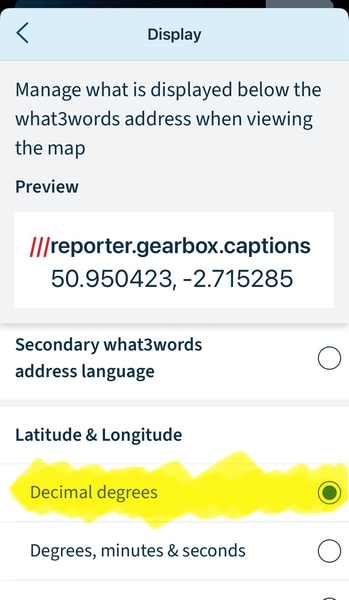
- enable decimal latitude & longitude display in the w3w native app (settings > display, screen grab below — I’ve not found a way to do this in the web app);
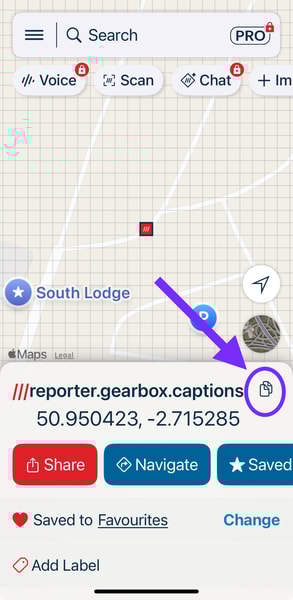
- enter the “what three words” into their app, and now the copy icon will copy the location name and the lat lon; so finally
- paste only the lat lon part into the Fiat app and “Send & Go” that to the car.